
Rant Casino – How to Install Mobile App
If you are the kind of player who spends more time on your phone than on a laptop, Rant Casino will feel like home right away. Our mobile setup is built so you can jump in, spin a few slots and handle your payments in a couple of taps without fighting the tech.
Here is the important bit: Rant Casino does not use a classic app store download, but our mobile site behaves almost like a real app, with a home screen icon and full-screen launch. Let’s walk through how to “install” Rant on your device, register, log in, find games and handle payments straight from mobile.
Rant Casino Mobile Experience Overview
Instead of a separate Rant Casino APK or store app, we run everything through one powerful site that automatically adjusts to your phone or tablet screen. You just type rantcasino.com in your browser, and the interface reshapes itself for touch controls, vertical view, and swipe gestures.
On the Rant Casino mobile site, you get:
- Full access to all games without the Rant Casino APK
- The same categories, filters and search tools you see on desktop.
- Big, tap-friendly buttons instead of tiny links.
Games load directly in your browser, so there is nothing to download at Rant Casino, and with a stable connection, your slots, roulette, blackjack and live tables run just as smoothly as on a computer.
On top of that, the Rant Casino mobile site is set up as a Progressive Web App, which means you can save it to your home screen and open it like a native RantCasino app with one tap.
Installing Rant Casino
Now, let’s get into the fun part, setting up Rant Casino so it lives on your phone’s main screen. Technically, you are adding a shortcut to the mobile site, but thanks to PWA support, it opens in full screen and feels like a native Rant Casino app.
The idea is the same on Android and iOS, though the menu names can differ a bit.
Typical steps for adding Rant Casino on Android and iOS:
- Open your mobile browser, usually Chrome on Android or Safari on iOS, and go to Rant Casino.
- Let the homepage load fully and, if you want, tap “Login” or “Join now” so all elements are loaded.
- Open your browser menu. On Android, this is usually the three dots; on iOS, it is the Share icon.
- Look for “Add to Home Screen” or “Add to Home Screen / Install app”.
- Confirm, shorten the name to “Rant” or “Rant Casino” if you like.
After this, you will see a Rant Casino icon on your home screen.
Tap it, and the site opens in a full-screen view without the browser address bar, just like a regular casino app.
| Action | Android (Chrome) | iOS (Safari) |
| Open site | Type rantcasino.com in the address bar | Type rantcasino.com |
| Open menu | Three dots in the top right | “Share” icon at the bottom of the screen |
| Add to home screen | “Add to Home Screen” or “Install app” | “Add to Home Screen” |
| Launch after adding | Tap Rant Casino icon | Tap Rant Casino icon |
All of this takes about a minute, and after that, you never need to manually type the address or dig through bookmarks.
Mobile Registration and Login
Once Rant Casino is “installed” on your screen, you can create an account or log into an existing one right from your phone. The Rant Casino mobile flow is not nerfed in any way; you get the full registration and login features.
Creating Account on Mobile
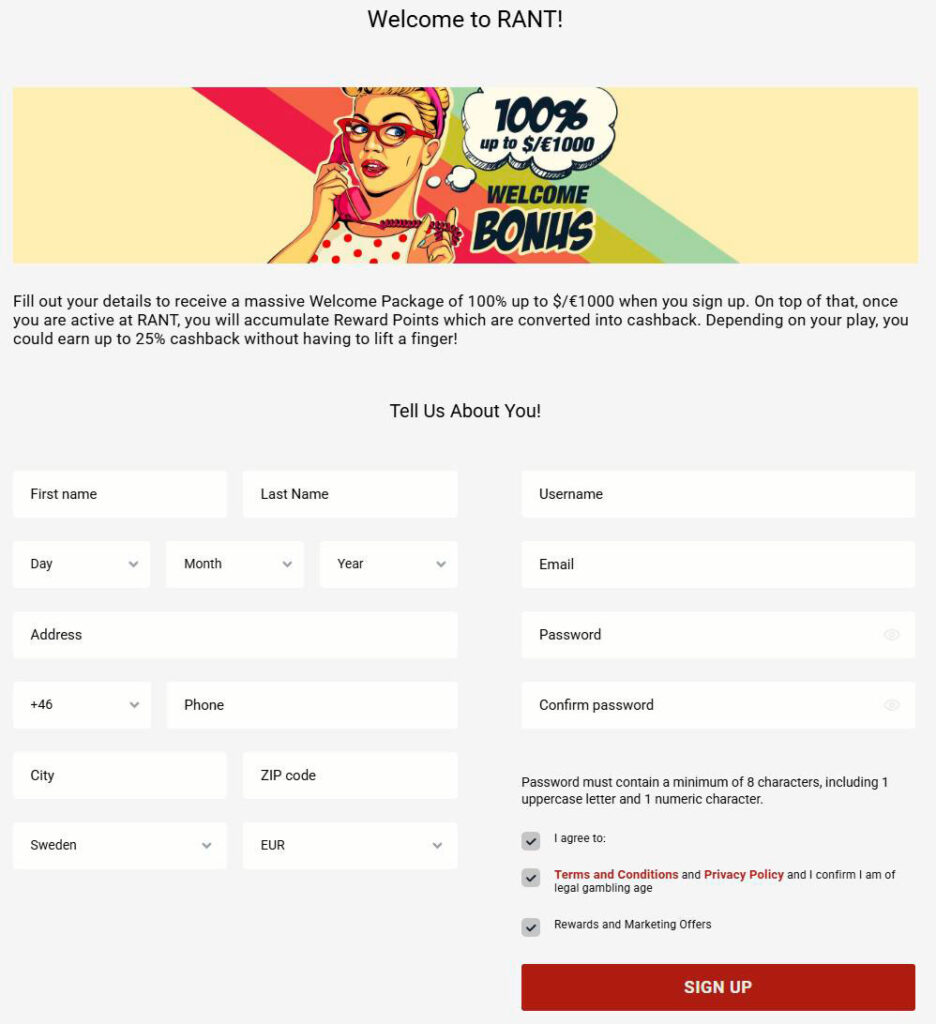
On Rant Casino mobile, registration uses a two-step flow so it does not feel like a monster form on a small screen. First, you set up your login, then you add your personal details.
How to create your Rant Casino account from mobile:
- Open Rant Casino and tap “Join now” in the header or burger menu.
- On step one, fill in the “Create login details” block with a username, email, phone number and a password with at least 8 characters.
- Tap “Next step” to move to the profile info section.
- Add your first and last name, date of birth, address, city, country, choose your account currency and enter a bonus or affiliate code if you have one.
- Tick the boxes to confirm your age and accept the Terms and Privacy Policy, then tap “Sign Up”.
If anything is missing or invalid, the system will show clear messages such as “Please fill in all required fields correctly.” When registration is successful, you will see a confirmation screen and receive an activation email to unlock your Rant Casino account fully.
Signing In on Mobile Devices
The Rant Casino mobile login flow is built for quick sessions so you can drop in during a break.
To log in via the RantCasino app:
- Tap “Login” at the top of the site or open the burger menu and pick the login option.
- Enter your username and password in the compact login form.
- Tap the login button, and you will jump straight into the lobby with your balance and games.
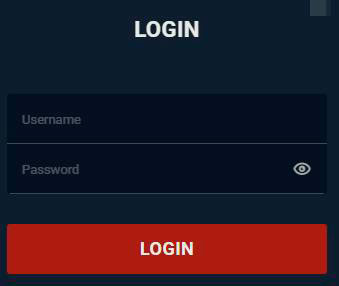
If your details are off, you will see messages like “Invalid username or password” or “Missing password”, and you can hit “Forgot password” right from your phone to reset it.
Mobile Games and Features
Now for the fun part, what you can actually play on mobile. You get the same catalogue as desktop players, including slots, tables, jackpots and live games.
Slots and Table Games on Mobile
The main game screen is a grid of tiles that automatically resizes for your phone screen. Scroll down and more games load, while the top lets you switch between game types.
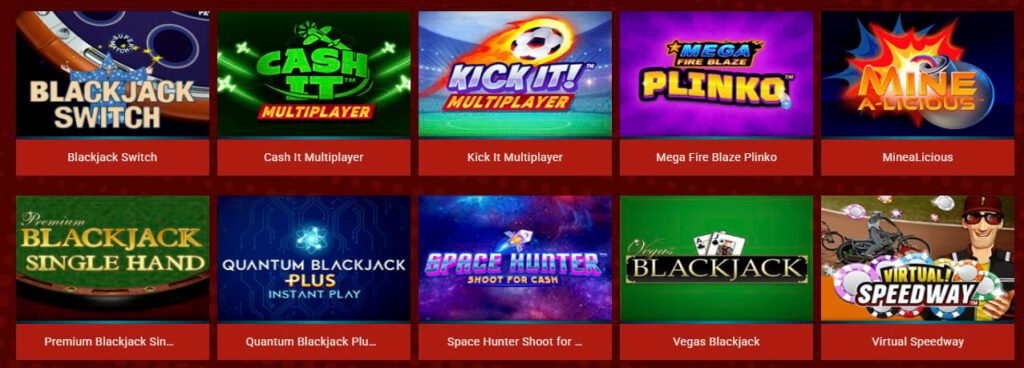
On the Rant Casino mobile site, you can:
- Use categories such as All Games, New Games, Slots, Quest, Megaways, High Volatility, Table Games, Jackpots, Live Casino, Bonus Buys and Other.
- Filter by provider with a scrollable list of studios including Play’n GO, Pragmatic Play, Nolimit City, Netent, Yggdrasil, Relax Gaming, Hacksaw Gaming, BGaming, Betsoft and many more.
- Launch each title in “Real Play” or “Demo Mode” if you want a test run first.
From mobile, it is easy to jump into popular titles like Book of Dead, Money Train 4, Super Gummy Strike, Bonanza Billion, Dragon Chase and all sorts of Megaways and “book” slots. You don’t need the Rant Casino application to use these features.
Live Casino Mobile Experience
Live casino on your phone feels just as solid as on a big monitor, with everything running in an adaptive video player.
Without the Rant Casino application, in the Live Casino section, you get:
- Tables and shows from Evolution Gaming, Ezugi and other live providers.
- Roulette, blackjack, baccarat, poker tables and game show-style titles like Crazy Time and various wheel games.
- A touch-optimised interface with chip selectors, bet buttons, game chat and view controls tuned for mobile.
You simply open the “Live Casino” category, pick a table, check the limits, then hop in and control your bets with one or two taps.
Mobile Navigation
We know you do not want to hunt for menus on a small screen, so navigation on Rant Casino mobile stays clean and simple. All the main links are always within easy reach, and the design avoids unnecessary clutter.
Core mobile navigation elements:
- A top header with the Rant logo, search icon, plus “Join now” and “Login” buttons.
- A burger menu that opens a sidebar with quick links to Home, Payments, Promotions, News, Live Casino, Welcome Offer and Support / FAQ.
- A horizontal bar of game categories: All Games, New, Slots, Quest, Megaways, High Volatility, Table Games, Jackpots, Live Casino, Bonus Buys, Other.
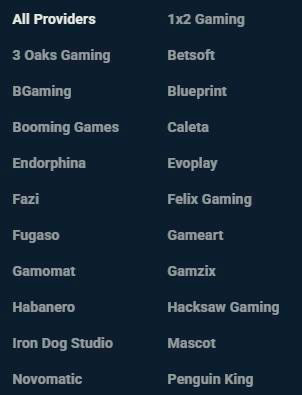
- A provider selector with a scrollable list of game suppliers so you can filter to your favourites.
The game search sits at the top, and as soon as you start typing, matching slots and tables appear. There is usually also an area for popular and recently played games, so you can hop back into your regulars fast.
Mobile-friendly Payment
Time to talk money, because deposits and withdrawals are fully supported on mobile, with no watered-down features. You can manage your entire cashier from your phone.
From mobile, you can:
- Open the Banking or Payments section to see the methods available in your country.
- Make deposits using cards, e-wallets, vouchers, bank transfers, MiFinity, cryptocurrencies and other methods, all shown with their logos in the banking page and footer.
- Request withdrawals to the supported cashout options in your region using the same mobile interface.
During transactions, the system shows clear status messages such as “Pending deposit confirmation”, “Awaiting withdrawal approval”, “Declined due to insufficient funds” or “Pending KYC verification”. That way, you always know what is happening and whether you need to take action.
Minimum and maximum amounts per method, transaction limits, estimated processing times and any regional restrictions are all listed in the banking section. All your Responsible Gaming limits (deposit, loss, session, etc.) also apply on mobile, so if you try to push past them, you will see a Responsible Gaming limit warning.
Conclusion
Bottom line, you do not need to go hunting through app stores for Rant Casino; you just open rantcasino.com once on your phone, add us to your home screen and from then on you launch us like any other app. From the mobile version, you can register, log in, play all the same slots and live games, grab bonuses, join tournaments and fully control your deposits and withdrawals without ever touching a laptop.

FAQ
Right now, Rant Casino runs through a mobile-optimised website instead of a store app, so instead of downloading, you go to rantcasino.com and add it to your home screen for app-like access.
Open rantcasino.com in your mobile browser, tap “Join now” or log in, then use your browser’s menu to select “Add to Home Screen” or “Install”, confirm it, and a Rant Casino icon will appear on your device.
No, once you add RantCasino to your home screen, you just tap the icon, and it opens in full screen like a standalone app, with no extra steps or address typing.
Yes, the mobile site gives you access to all sections, including Slots, Megaways, Jackpots, Table Games and Live Casino, so you can launch Book of Dead, Money Train 4, Crazy Time and more directly from your phone.
Yes, every transaction uses the same secure protocols as desktop, with KYC checks, 3D Secure for cards and clear transaction status messages such as “Pending deposit confirmation” and “Awaiting withdrawal approval” in the cashier.
First, double-check your username and password, then use the “Forgot password” link if needed, and if you still see errors or system messages, contact Support or Live Chat from your phone through the Support section.
There is no separate Rant Casino iOS app in the App Store right now, but you can still get an app-like experience on iPhone by opening rantcasino.com in Safari and using “Add to Home Screen” to place a Rant Casino iOS shortcut that launches the mobile site in full screen like a native app without downloading.