
Rant Casino Login & Verification Processes
If you want to get into RantCasino quickly without any weird hoops, our login, registration and verification flows are built to be simple but secure. You will set everything up in a couple of short steps, then keep it safe with email/KYC checks and solid password rules.
Getting Started with Rant Casino Registration
You can create your RantCasino account on desktop or mobile in just a few minutes using a clear, guided form.
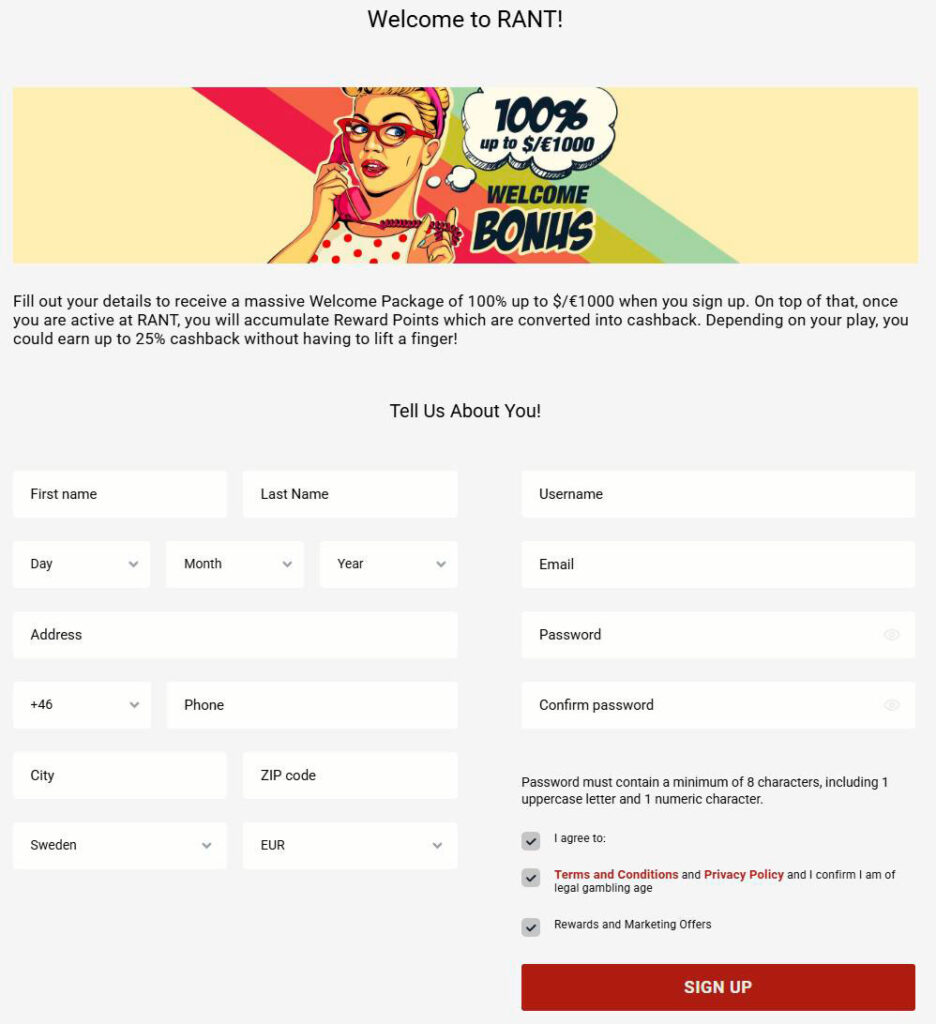
Two-Step Account Creation Process
We keep signing up in two steps, so you are not staring at one huge form on a small screen.
Here is how it flows:
- Step 1: Click “Create Account” or “Join Now”, then create your RantCasino login details (username, email, password, phone).
- Step 2: Fill in your personal info and address details, pick your clan and confirm your age and acceptance of Terms and Privacy Policy.
- After submitting, you will see a success screen and get an email with an activation link, plus SMS verification in some cases.
You will sometimes see “Step 1 of 2” and “Step 2 of 2” labels so you know exactly where you are in the flow.
Personal Information Requirements
To keep the account legit and ready for KYC down the line, we ask for standard personal data.
You will need to provide:
- First name and surname (as on your ID).
- Date of birth (to confirm you are at least 18, 19 or 21, depending on jurisdiction).
- Full address including city, ZIP/postcode and country.
- Valid email and mobile phone number for Rant Casino verification.
If anything is off, you will see clear validation messages like “Please fill in all required fields correctly” or “We look for a long-term thing, kindly pick a non-temporary email”.
Choosing Your Currency and Bonus Code
During Rant Casino registration, you also pick your account currency from the list, with EUR available plus other options depending on where you live. There is a dedicated “Bonus code” or “Affiliate code” field if you have a special promo or partner deal.
Key points:
- Your main currency is used for deposits, withdrawals, bonuses and limits.
- If a bonus or affiliate code is invalid, the system tells you with messages like “Affiliate code not found” or “Invalid code”.
- You can still claim the standard welcome offer (100 % up to €1,000) without any code, just by opting in at the cashier.
Logging Into Your Rant Casino Account
Once you are registered and activated, logging back into Rant Casino is quick from any device.
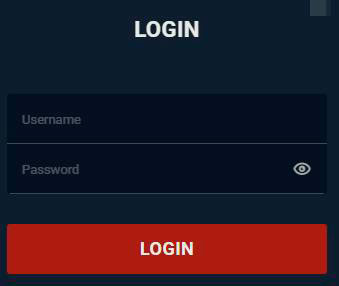
Desktop Login Process
On the desktop, you log in via the “Login” button in the header.
The form is simple:
- Enter your username in the “Enter your username” field.
- Enter your password in the “Enter your password” field.
- Click “Login”, and you are in if both are correct.
If something is wrong, you will see helpful messages like “Invalid username or password”, “Missing username”, “Missing password” or “Login from this country is restricted”.
Mobile Browser Access
On mobile, the Rant Casino login form is fully optimised and appears via the menu or top bar “Sign in” button. You still use the same username and password, and the same rules apply.
You can:
- Use instant play by visiting rantcasino.com in your mobile browser and tapping “Login”.
- Or add Rant Casino to your home screen as a PWA (Progressive Web App), then tap the icon and log in from there.
Either way, you always see “Welcome back, Archon!” and your balance, bonuses and account options after a successful Rant Casino login.
Account Recovery and Support
If you forget your details or something goes wrong, you have easy tools and support to get back in.
Forgot Password Recovery
If your brain blanks on your password, hit “Forgot password?” on the login screen.
The recovery flow:
- Enter the email or Rant Casino username you registered with.
- Rant Casino sends a password reset link to your email.
- Click the link, set a new password that meets the rules and confirm it.
System messages guide you the whole time, like “Password reset link has been sent to your email”, “Password change link expired, please request a new one” or “Password must be at least 8 characters long”.
Live Chat Assistance
If you still have trouble logging in or verifying your account, our live chat team is there for you.
You can:
- Open the Support page or the bottom bar “Live Chat”.
- Fill out the quick form (name, email, subject) or jump straight into chat if available.
- Use support if you hit errors like “System error! Please contact our support!” or if your account shows “frozen”, “deactivated” or “pending activation”.
You will also see email and contact form options if you prefer writing instead of chatting.
Managing Your Account Settings
Inside your profile, you control all the key pieces of your RantCasino account.
From the cashier or profile area, you can:
- Edit account details like address and phone via “Account details”.
- Change password using the “Change password” section.
- Set or adjust Responsible Gaming limits (daily/weekly/monthly deposit, bet and loss limits, session length, freeze account, self-exclusion).
- Track balances, open bonuses, wagering progress and loyalty points.
Messages like “Your profile was updated successfully” or clear error texts pop up if anything needs fixing.
Account Verification and Security
Now, let’s talk about how we keep your account safe and compliant, from email activation to KYC and password standards.
Email Activation Process
Right after registration, Rant Casino sends you an activation link to the email you provided. Until you click it, your account may show as “unactivated” or “pending activation”, and login can be blocked.
The flow:
- Check your inbox (and spam folder) for the activation email.
- Click the link to confirm your address.
- You will see “Your account is activated” and can then log in normally.
If the link expires or fails, you will see “Rant Casino verification link may have expired, or an error occurred”, along with a “Live Support” option to help sort it out.
KYC Verification Requirements
KYC (Know Your Customer) checks unlock the full cashier and ensure withdrawals run smoothly. In your profile, you will see a KYC status box with options like “Verify KYC documents” and messages if you need to upload anything.
To complete KYC, you typically need:
- A valid photo ID (passport, national ID or driving licence).
- Recent proof of address (utility bill, bank statement) matching your registered details at Rant Casino.
While Rant Casino’s KYC is pending, certain actions can be locked, and you might see “Awaiting KYC verification” or “Account actions locked if no KYC received until documents verified”. Once approved, the status changes to “Your documents are verified”, and you are good to go.
Password Security Standards
We take password security seriously, so the system guides you into picking something that is not guessable.
Basic rules:
- Your password must be at least 8 characters long.
- Rant Casino’s reset password messages remind you that it must contain at least one capital letter, number and symbol.
If the new password does not pass, you will see messages like “Invalid new password” or “Password must contain at least one capital letter, number and symbol. Must be at least 8 characters long”. Once accepted, you get “Password successfully changed”.
Conclusion
Honestly, the whole RantCasino login and verification setup is designed to be clear, fast and safe while still ticking all the regulatory boxes. You set up your account in two quick steps, lock it down with email and KYC checks, then manage everything from passwords to limits right inside your profile without any hassle.

FAQ
Email activation is instant once you click the link Rant Casino sends after registration, and if the link expires or fails, you will see a clear message and can contact Live Support for a fresh one.
If you see messages like “Account is unactivated” or “Pending activation”, it usually means you have not clicked the email activation link yet, so check your inbox or request help from support.
You will normally need a valid photo ID and a recent proof of address, which you upload from your profile under the KYC section until your status changes from “Requested” or “Pending” to “Verified”.
Click “Forgot password?” on the RantCasino login page, enter your email or username, then follow the reset link we send; if the link expires, you can request a new one and set a fresh password that meets the minimum 8-character plus complexity rules.
To register at Rant Casino, click “Join Now”, complete the two-step form with your login details and personal info, choose your currency, accept the Terms, then activate your account via the email link we send.